
Screens have become part of almost every daily routine. Whether someone is working on a computer, scrolling on a phone, watching videos, gaming, reading on a tablet, or handling online tasks, digital devices are used throughout the day. While technology makes life more convenient, long hours in front of screens can sometimes leave people feeling tired, distracted, or uncomfortable. This is one reason many people look for simple ways to make screen time feel easier on the eyes.
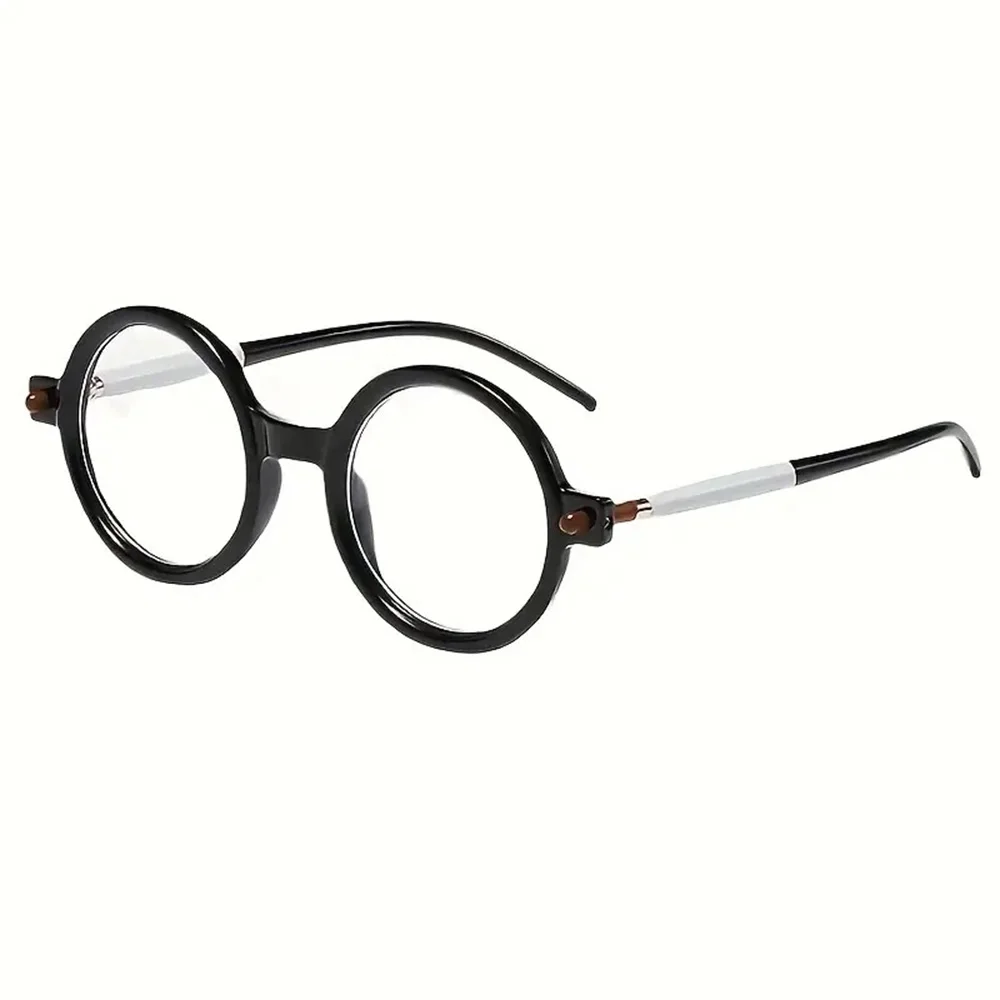
Blue-light blocking glasses are a popular accessory designed for people who spend time around digital screens. They are often worn during work, study, gaming, reading, or evening device use. While they are not a replacement for healthy screen habits, they can be a useful part of a more comfortable daily routine. The key is knowing how to apply them properly, when to wear them, and how to combine them with other simple habits.
Using blue-light blocking glasses is not just about putting them on randomly. To get the most out of them, it helps to understand when they may be useful, how they fit into your lifestyle, and how to make them part of your normal routine. The following tips can help you use blue-light blocking glasses in a practical and effective way during daily screen time.
Wear Them During Long Computer Sessions
One of the most common times to use blue-light blocking glasses is during long computer sessions. If your day includes working at a desk, answering emails, designing, writing, editing, browsing, or handling online business tasks, your eyes may spend hours focused on a bright screen. Wearing blue-light blocking glasses during these sessions can help create a more comfortable viewing experience.
The best approach is to put them on before your eyes start feeling tired. Many people wait until they already feel discomfort before using screen accessories, but blue-light glasses are easier to apply as a preventive habit. If you know you will be working on your laptop or desktop for an extended period, keep your glasses nearby and wear them from the start.
This can be especially helpful during tasks that require focus. Reading small text, reviewing spreadsheets, editing graphics, or switching between multiple browser tabs can require your eyes to work harder. Adding blue-light blocking glasses to your work setup may help make these moments feel less harsh, especially when combined with proper brightness settings and regular breaks.
Use Them During Evening Screen Time
Evening screen time is another great opportunity to wear blue-light blocking glasses. Many people use phones, tablets, computers, and televisions after dinner or before bed. This could include checking messages, watching shows, shopping online, reading, or catching up on social
media. Since screens are often used when the room is darker, the brightness can feel more intense at night.
Wearing blue-light blocking glasses in the evening can be a helpful way to soften your screen routine. They can become part of your wind-down habits, just like dimming the lights, lowering screen brightness, or setting your phone to night mode. If you often use devices within an hour or two before bedtime, keeping your glasses on your nightstand, desk, or side table can make them easier to remember.
It is also helpful to pair them with better screen habits. For example, avoid holding your phone too close to your face, reduce brightness when possible, and give yourself breaks from fast-moving content before bed. Blue-light blocking glasses can support your routine, but they work best when used alongside other habits that help your eyes and mind relax.
Keep a Pair Near Your Main Devices
One of the easiest ways to use blue-light blocking glasses consistently is to place them where you already use screens. If they are tucked away in a drawer or left in another room, you may forget to wear them. A simple solution is to keep a pair near your desk, your laptop bag, your nightstand, or wherever you spend the most screen time.
For people who work from home, placing glasses beside the keyboard or monitor can help make them part of the workday. For people who travel or commute, keeping a pair in an organizing bag, backpack, or laptop case can be useful. If you switch between home and office settings, having more than one pair may help you avoid forgetting them.
This simple placement tip makes blue-light blocking glasses easier to apply naturally. Instead of treating them like something extra, they become part of your screen setup. Just like headphones, a mouse, a charger, or a notebook, they can be one of the everyday accessories that supports your productivity and comfort.
Use Them While Gaming
Gaming can involve long periods of focus, bright colors, fast movement, and intense visuals. Whether someone plays on a computer, console, handheld device, or mobile phone, gaming sessions can quickly add up. Blue-light blocking glasses can be a smart accessory to use during these moments, especially for longer sessions.
Gamers often stay focused on the screen without taking many breaks. This can make the eyes feel tired after a while. Wearing blue-light blocking glasses during gaming may help soften the experience and make the screen feel easier to look at for extended periods. They may also be helpful during nighttime gaming when the screen is bright compared to the room.
To apply them effectively while gaming, put them on before starting rather than halfway through. Also, remember to adjust your display settings. Many screens allow you to reduce brightness,
adjust contrast, or turn on warmer display modes. Combining blue-light glasses with smart display settings can help create a more comfortable setup.
Pair Them with the 20-20-20 Rule
Blue-light blocking glasses can be useful, but they should not be the only habit you rely on. A helpful screen-time practice is the 20-20-20 rule. This means that every 20 minutes, you look at something about 20 feet away for around 20 seconds. This gives your eyes a short break from close-up focus.
When using blue-light blocking glasses, pairing them with the 20-20-20 rule can make your routine more balanced. The glasses may help soften screen exposure, while the break helps your eyes relax from constant focusing. This is especially helpful during workdays when you may forget how long you have been looking at the screen.
You can make this easier by setting reminders on your phone, computer, or smart watch. You can also connect the break to normal workflow moments, such as finishing an email, completing a task, or ending a video call. The goal is not to interrupt your entire day, but to give your eyes brief moments of rest.
Wear Them for Online Reading and Studying
Reading on screens can be different from reading printed pages. Digital text may feel sharper, brighter, or harder to focus on after a while. If you spend time reading articles, studying online courses, reviewing digital documents, or using e-books, blue-light blocking glasses can be a helpful addition.
For students, business owners, remote workers, and anyone who spends long periods reading from a screen, applying blue-light glasses during study sessions may make the experience feel more comfortable. They can be especially useful when reading for long stretches without much visual variety.
To make online reading easier, also increase the text size when possible. Choose reader modes that reduce clutter, use warm screen settings, and avoid reading with a very bright screen in a dark room. Blue-light blocking glasses can support these habits by helping create a softer screen-viewing environment.
Use Them During Video Calls and Meetings
Video calls are now a normal part of work, school, and communication. During video meetings, people often stare at the screen for long periods while also focusing on faces, slides, shared documents, or chat windows. This can make screen time feel more intense, especially when meetings happen back-to-back.
Wearing blue-light blocking glasses during video calls can be a simple way to support comfort. If your glasses have a subtle design, they can fit naturally into your professional or casual meeting
setup. It may help to test them on camera first to make sure there is not too much reflection from your screen or lighting.
For best results, adjust the lighting around you as well. Avoid sitting in a dark room with only your screen lighting your face. Try using soft room lighting or natural light when available. This reduces contrast between your screen and surroundings, which can make video calls easier on the eyes.
Choose a Style You Will Actually Wear
The best blue-light blocking glasses are the ones you will use regularly. Style matters because if the glasses feel uncomfortable, too heavy, or not your preference, they may end up sitting unused. Choosing a pair that fits your face, feels lightweight, and matches your personal style can make it easier to include them in your daily routine.
Some people prefer clear lenses, while others like lenses with a warmer tint. Some want a simple professional frame, while others prefer a bold or trendy look. Comfort is important too. Look for glasses that sit well on the nose, do not press too tightly behind the ears, and feel comfortable for longer wear.
If you already wear prescription glasses, you may want to consider blue-light blocking options that fit your needs. Some people use clip-on lenses, while others choose prescription lenses with blue-light filtering features. The goal is to make the glasses easy to apply to your existing lifestyle.
Clean Them Regularly
Like any glasses, blue-light blocking glasses work best when they are clean. Smudges, dust, and fingerprints can make screens look blurry or distracting. This can cause you to strain your eyes more, which defeats the purpose of wearing them.
Keep a microfiber cloth nearby and clean the lenses often. Avoid using rough fabrics, paper towels, or harsh cleaners that may scratch the lenses. If your glasses come with a case, store them inside when not in use. This helps protect them from scratches, dust, and damage.
A clean pair of glasses makes screen time feel clearer and more comfortable. It also helps you build the habit of using them regularly because they will be ready when you need them.
Do Not Forget About Screen Brightness
Blue-light blocking glasses can help support screen comfort, but screen brightness still matters. If your screen is too bright for your environment, your eyes may still feel strained. Adjusting brightness is one of the easiest ways to improve your screen setup.
During the day, your screen may need to be brighter if the room is well-lit. At night, lower brightness can make the screen feel less harsh. Many devices also offer night mode, warm light
settings, or automatic brightness adjustment. These features can work well alongside blue-light blocking glasses.
The goal is to match your screen brightness to your surroundings. Your screen should not feel like a flashlight in a dark room, and it should not be so dim that you have to squint. Small adjustments can make a big difference.
Use Them with Good Posture and Proper Screen Distance
Eye comfort is not only about light. It is also about how you sit, how far away your screen is, and how your body is positioned. Blue-light blocking glasses can be part of a better screen routine, but posture and screen distance matter too.
Try to keep your screen at a comfortable distance, usually about an arm’s length away for a computer monitor. The top of the screen should be around eye level or slightly below, so you are not constantly looking too far up or down. Your chair, desk, and monitor setup should allow you to sit comfortably without leaning forward.
When using a phone, avoid holding it too close to your face for long periods. Bring the phone to a comfortable distance and take breaks often. Applying blue-light blocking glasses while also improving posture can make screen time feel more balanced overall.
Make Them Part of Your Work Bag or Travel Kit
If you use screens outside the home, blue-light blocking glasses can be a helpful item to keep in your bag. Many people work from coffee shops, offices, libraries, airports, hotels, or shared workspaces. Having glasses with you makes it easier to apply the habit wherever you go.
A protective case is important for travel. It keeps your glasses safe and helps you find them quickly. You can store them with other tech accessories such as chargers, earbuds, data storage devices, cables, or an organizing bag.
This is especially useful for people who use laptops often while traveling. Bright airport lighting, hotel rooms, and long work sessions away from your normal desk setup can make screen time feel different. Having blue-light blocking glasses ready gives you one more way to stay comfortable.
Know When to Take Screen Breaks
Blue-light blocking glasses can be useful, but they do not mean you should stay on screens nonstop. Your eyes and body still need breaks. If you feel tired, dry-eyed, distracted, or mentally drained, it may be time to step away for a few minutes.
A short break can include stretching, walking around, drinking water, looking out a window, or doing a task that does not involve a screen. These moments can refresh your focus and help you return to your work or entertainment with more comfort.
It is helpful to treat blue-light blocking glasses as one tool in your routine, not the entire solution. They support screen use, but healthy screen habits still matter.
Conclusion
Blue-light blocking glasses can be a simple and practical accessory for people who spend a lot of time with digital devices. Whether you are working, studying, gaming, reading, watching videos, or using your phone in the evening, they can help make screen time feel more comfortable when used correctly.
The best way to apply blue-light blocking glasses is to make them part of your daily routine. Wear them during long computer sessions, keep them near your main devices, use them during evening screen time, and pair them with healthy habits like taking breaks, adjusting brightness, improving posture, and cleaning the lenses regularly.
Technology is part of everyday life, and screen time is not going away anytime soon. By using blue-light blocking glasses thoughtfully, you can create a more comfortable and balanced screen routine that fits your lifestyle.
